
More Bookings,
Happier Customers.
The world’s most advanced AI operating system for experiences & attractions
%201.jpg)


.svg)
Grow Revenue. Automate Operations. Scale with Confidence.
Operators see an average 30% revenue growth and save hundreds of hours a year using AI-powered tools.
More revenue, minus the effort
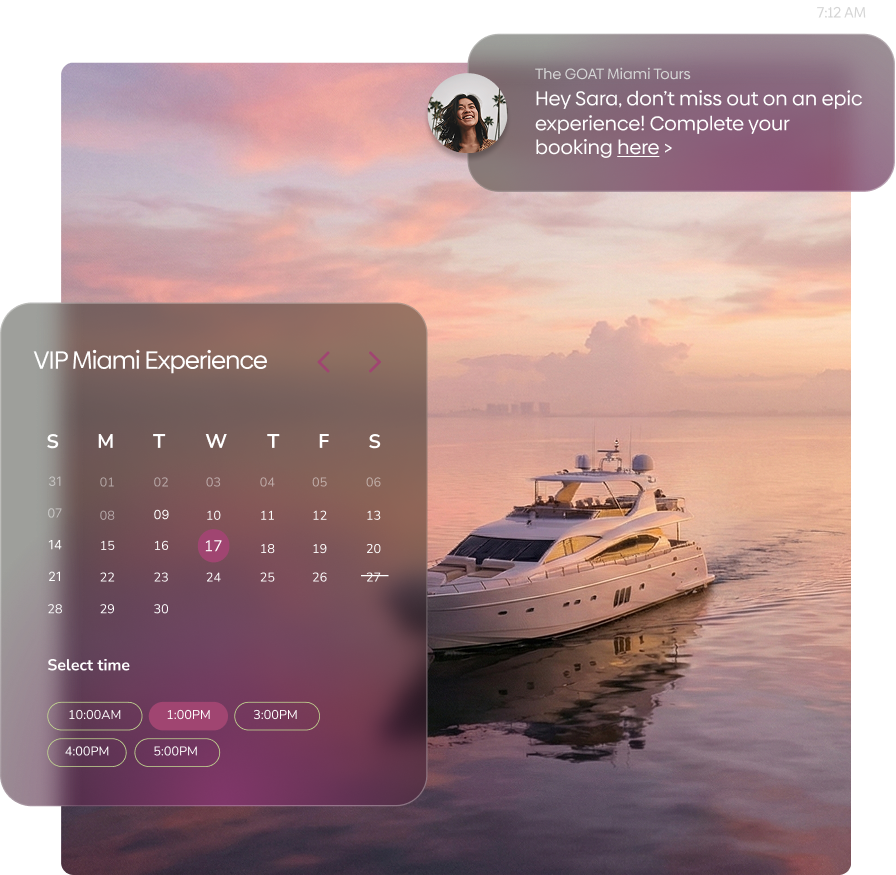
From abandoned booking recovery, to automated waitlists, AI dynamic pricing and conversion-optimized booking, Peek Pro finds and captures revenue you didn't even know you were leaving behind.
Explore >
.png)
Hundreds of tasks, run automatically
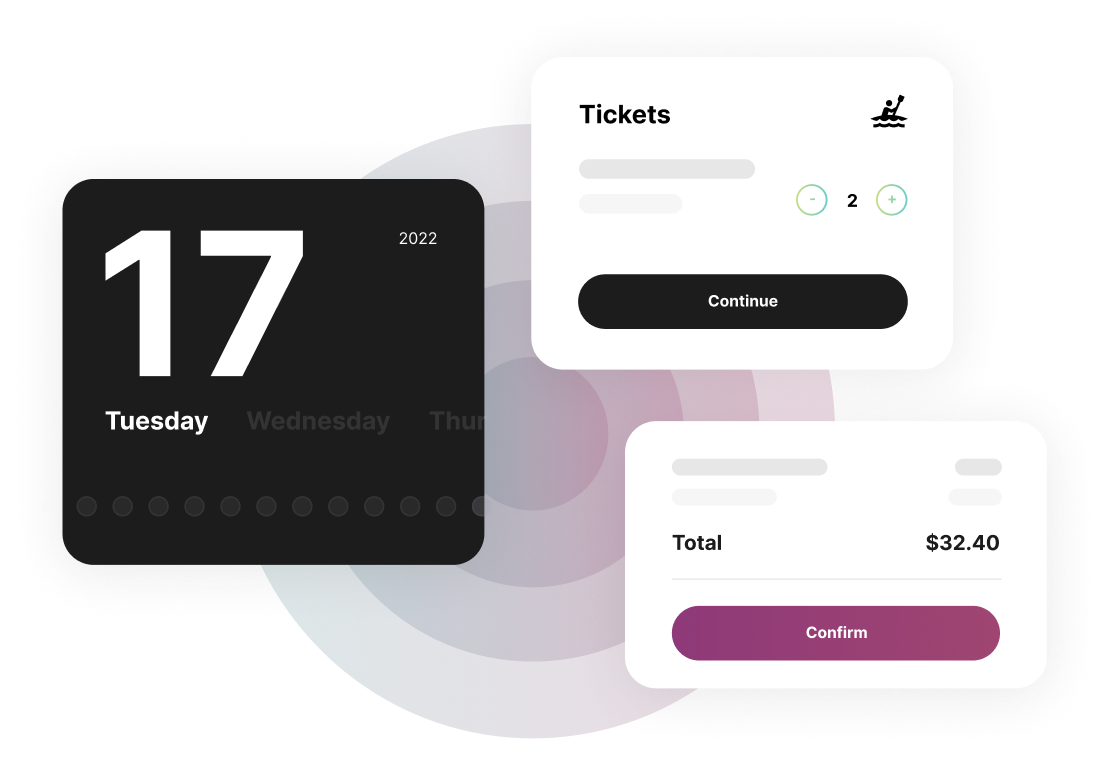
Meet your new team additions, handling everything from staff scheduling and guest communications to daily reporting and email summaries. And they never miss a shift.
Explore >
A world-class guest experience, start to finish
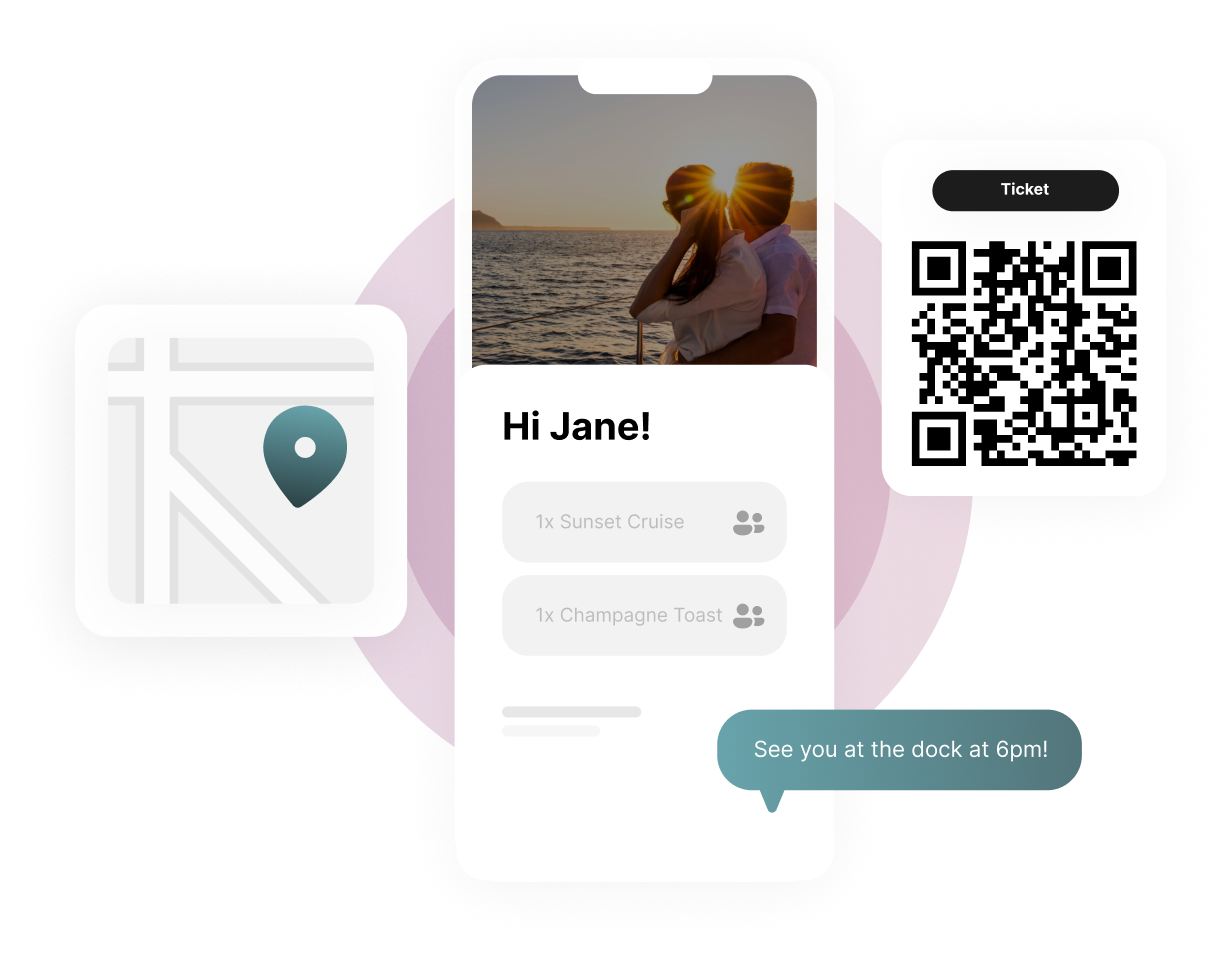
Automated reminders, self-rescheduling, and perfectly-timed review and tip requests at guests’ fingertips. Create loyal followers with an end-to-end experience they’ll want to tell their friends about.
Explore >
A system staff will love
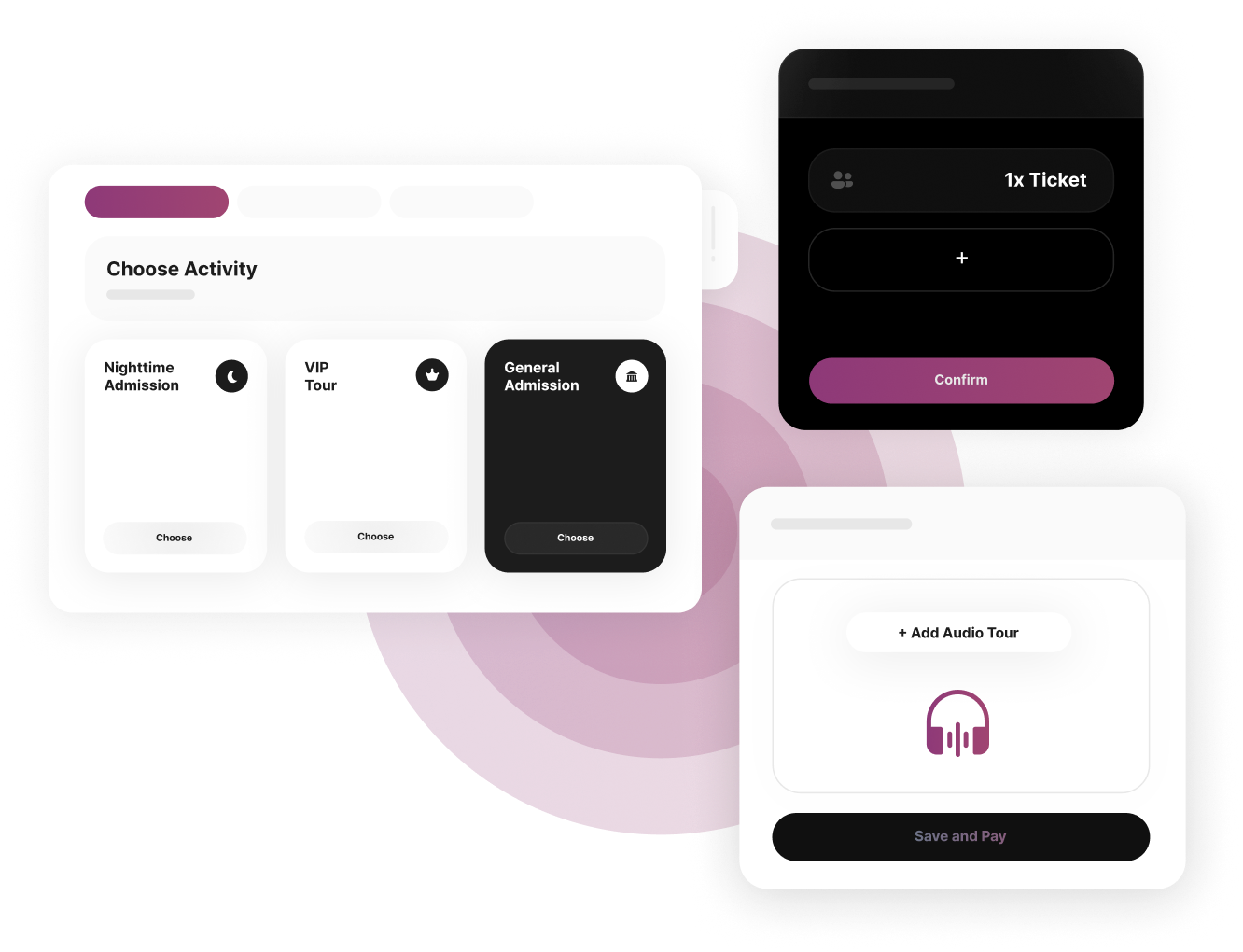
Take walk-up bookings in seconds, upsell add-ons & accept tips on the spot with a powerful, easy to use POS & backend. An all-in-one system that's easy to train and built for maximum flexibility.
Explore >
All Your Systems on Speaking Terms


.png)


.png)


Plus everything you’d expect from an enterprise booking solution

Sync customer data across audiences to deliver targeted campaigns that bring them back for more.

Manage and run your business on-the-go with native mobile apps for iOS and Android.

Manage, tag and bulk assign inventory, equipment, and employees simultaneously across activities.

Do more with digital waivers that reduce in-person lines and capture key guest data for intelligent remarketing.

Peek Pro Blog

Top 7 Effective Strategies to Reduce Boat Tour Cancellations in Bad Weather
What do you do when bad weather conditions threaten to derail your boat tour business? A storm might seem like just an inconvenience, but it can lead to serious financial and reputational consequences.
But don’t panic because there are ways to handle it. Having the right strategies can minimize cancellations and keep things running smoothly. In this article, we’ll explore seven strategies to reduce boat tour cancellations and boost customer satisfaction, no matter the weather forecast.
1. Offering Flexible Booking Policies
Flexibility is key when the weather turns bad. Offer rescheduling or partial refunds within 24 hours to give customers peace of mind. This helps reduce boat tour cancellations and increases loyalty, as customers who feel appreciated are more likely to come back.
2. Implementing Advanced Weather Monitoring Systems
Keep an eye on the weather. Use real-time data from weather apps or specialized forecasting systems to predict adverse conditions and make informed decisions in advance. That way, you’ll minimize cancellations, save customers’ time, and reduce financial strain, while allowing you to make scheduling adjustments or reroute tours. Learn more about weather forecasts for boat tours in this comprehensive post.
3. Setting Clear Weather Guidelines for Tour Operators
Be clear about weather-related cancellations. State on your booking page that tours will be canceled under specific conditions, like high winds or heavy rains. This sets expectations, avoids confusion, and builds customer trust, while improving trip reliability and setting you apart from competitors who leave customers guessing.
4. Building Partnerships with Local Meteorologists or Agencies
Weather apps are great, but local experts are better. Partner with local meteorologists or weather agencies to get more precise, location-specific forecasts that are more reliable than generic apps or national reports. Customized information helps you adjust routes, schedules, and activities to fit weather conditions and makes decision-making easier. Plus, it shows customers that you’re taking their safety seriously.
With your partnerships in place, the next step is to give your customers alternative activities to keep them engaged and satisfied, even when the forecast isn't in your favor.
5. Providing Alternative Indoor or Dry Activities for Tour Goers
The weather doesn’t cooperate? Provide your customers with alternative options, such as museum tours or shore excursions. This way, your customers can still enjoy their day, and your business can continue to generate revenue. If you have to cancel a boat tour due to a storm, offer a voucher or a nearby indoor activity to showcase your ability to adapt to the weather.
Other than providing alternative activities, here are some creative ways to sell more boat tours, no matter the season.
6. Offering Insurance Options to Customers
What if you could turn a weather-related cancellation into an opportunity? Offer weather insurance to cover cancellations, delays, or rescheduling. This protects both your business and customers from financial strain when the weather takes a turn. Plus, it shows you’re prepared and looking out for your customers.
7. Creating a Customer Communication Plan
A strong communication plan helps maintain customer relationships. When bad weather hits, inform your customers about changes, cancellations, or delays. Use communication methods like automated emails, text notifications, or real-time updates to let customers know their tour is delayed or rescheduled due to bad weather. That way, you can reduce confusion, build trust, and help maintain customer loyalty.
How Can Boat Tour Operators Prepare for Sudden Weather Changes?
Is your business ready for sudden weather changes? Unexpected shifts in the weather can throw off your tours, but with the right plans in place, you can keep things running smoothly. Here’s how to stay prepared.
Plan B for Alternative Routes or Activities
Always be prepared with alternative routes or indoor activities to keep customers engaged. This minimizes disruptions and ensures that customers still have a great experience despite changes in their original plans.
Use Real-Time Weather Alerts
Weather alerts from apps or specialized forecasting systems provide up-to-the-minute alerts about weather conditions. This allows you to decide quickly regarding tour rescheduling, which helps minimize boat tour cancellations.
Partner with Local Emergency Response Services
Partnering with local emergency teams or services allows you to act quickly and keep your guests safe during storms or floods.
Be Flexible and Ready to Adapt
If you’re managing a boat tour company, being adaptable to unexpected changes is crucial. Be flexible with rescheduling. Offer alternative experiences and know how to manage customer expectations to handle unpredictable conditions and maintain trust and satisfaction.
Use Online Bookings for Efficient Management
Implementing an online booking system like Peek Pro streamlines time management and scheduling, allowing for quick rescheduling and seamless communication with customers. To learn how online bookings can improve your operations, check out 8 reasons marinas should accept online bookings for watercraft rentals.
Incorporate these practices into your operations to respond to unexpected weather with confidence and ensure a hassle-free experience for your business and customers.
Key Takeaways
- Implement flexible booking policies and clear communication to address weather-related delays and keep customers happy.
- Utilize advanced weather monitoring, establish clear policies, and collaborate with experts to make proactive decisions.
- Reduce cancellations and build customer trust by offering alternative activities, insurance, and backup plans.
Frequently Asked Questions
What Tools and Software Can Help Boat Tour Companies Reduce Cancellations?
Weather monitoring apps, automated communication systems, and customer management platforms can reduce cancellations by tracking forecasts and sending real-time updates on delays or cancellations.
Can Weather Insurance Help Reduce Boat Tour Cancellations?
Yes, weather insurance can reduce boat tour cancellations by covering the financial impact for both customers and operators in the event of bad weather conditions.
Should Boat Tour Companies Offer Rainchecks or Vouchers for Future Tours?
Yes, offering rainchecks or vouchers maintains goodwill and encourages repeat business. Customers appreciate having alternative options instead of a complete loss, fostering loyalty and satisfaction.

Outbound vs Inbound Tour Operators: Understanding the Key Differences
If you’re a new entrepreneur stepping into the travel industry, one of the first questions you’ll face is: "Should I focus on sending clients abroad or on receiving international visitors at home?"
In other words, should I build an outbound or inbound tour operation?
Choosing between the two models shapes your business structure, partnerships, revenue streams, and growth opportunities. But many newcomers usually confuse the two, which can lead to misaligned strategies and missed market opportunities.
In this article, we’ll define inbound vs outbound tour operators, compare their functions and challenges, and even explore industry trends.
Once you understand the key differences between the two, you can confidently decide which market to specialize in, whether that’s creating packages that take residents overseas or becoming the local expert who welcomes travelers from abroad.
Core Functions of Outbound Tour Operators
Outbound tour operators send travelers from their home country to foreign destinations. They work on the logistical side of international travel arrangements.
Typical services include:
- Pre-departure support, including ticketing, insurance, visa assistance, and health protocols.
- Coordinating travel logistics and accommodations for outbound travelers to ensure smooth and curated experiences abroad.
- Outbound operators also work closely with international travel agencies and agents to access competitive rates and exclusive deals.
Core Functions of Inbound Tour Operators
Inbound tour operators, also called Destination Management Companies (DMCs), operate on the receiving end of international tourism. They are responsible for organizing trips for international travelers visiting their home country.
Here's what they offer:
- Local Experiences: These help travelers experience local culture through packaged tours, offering guided excursions, cultural workshops, and sightseeing opportunities.
- Supplier Partnerships: They serve as intermediaries between travel agencies and local suppliers, negotiating with hotels, transport providers, and attractions.
- Accessibility & Comfort: Many operators offer foreign language support for inbound tourists and 24/7 assistance.
Key Differences between Outbound and Inbound Tour Operators
The primary difference between outbound and inbound tour operators lies in the direction of the travel flow: outbound operators send, while inbound operators receive. Let’s break this down further.
Target Customers and Source Markets
Outbound operators offer tours for outbound travelers seeking to visit foreign countries. Their marketing is designed to inspire wanderlust and reassure travelers that every detail of the trip will be taken care of before departure.
Inbound operators use local expertise to build customized itineraries for international visitors. Their marketing emphasizes local authenticity and builds B2B trust through reliability.
Operational Structure and Partnerships
Outbound operators provide cross-border services to travelers in different regions, coordinating remotely with airlines and overseas suppliers.
Inbound operators handle on-the-ground delivery, relying heavily on travel agency partnership agreements and strong supplier networks.
Pricing Models and Revenue Sources
Outbound operators generate revenue through package markups, commissions, or dynamic pricing for high-demand routes.
Inbound operators often work on net rates negotiated with suppliers, typically with tiered pricing based on volume.
Marketing and Distribution Channels
Outbound operators reach customers directly through advertising and retail agents. They often run targeted social media campaigns, collaborate with influencers for a broad reach, or promote package deals through online travel agencies (OTAs).
Inbound operators rely on B2B channels, such as trade shows, affiliate networks, and partnerships with outbound operators to attract international tourists.
Advantages and Challenges of Outbound Tour Operators
The outbound model opens the door to global opportunities, even giving entrepreneurs a chance to tap into high-value markets. But running an outbound operation means navigating some of the most complex aspects of tourism.
Advantages:
- Outbound operators can generate strong returns from niche markets like luxury, adventure, or educational travel.
- Their ability to support global tourism by managing inbound and outbound services gives them broader exposure.
Challenges:
- Cross-border complexities, such as visa requirements, health protocols, and fluctuations in exchange rates, can erode margins.
- Demand peaks seasonally (e.g., summer trips to Europe) but dips during crises, such as pandemics or conflicts, leading to volatile bookings.
Advantages and Challenges of Inbound Tour Operators
Inbound operators are the backbone of local tourism ecosystems. They bring international visitors face-to-face with a destination’s culture, suppliers, and hidden gems. At the same time, their success depends heavily on external factors.
Advantages:
- They use deep market knowledge to support local businesses by organizing inbound tourism activities.
- Their ability to market authentic experiences to international travelers boosts guest satisfaction and repeat business.
Challenges:
- Inbound operators often lack direct consumer marketing. So, sustainability hinges on B2B reputation; weak partnerships can cause inconsistent leads.
- International crises or restrictions quickly affect inbound bookings.
Trends Shaping Inbound and Outbound Tourism
From sustainability to automation and market diversification, the operators who read these shifts fastest (and act on them) pivot quickly when seasons, routes, or regulations change.
Rise of Experiential and Sustainable Tourism
The growing global focus on sustainability has many asking, what is inbound tourism, and why does it matter in this context? Inbound tourism matters because modern travelers are no longer satisfied with generic sightseeing packages. They want immersive, authentic experiences that respect local communities and the environment.
For inbound operators, this creates an opportunity to design eco-conscious tours that highlight local traditions and support small businesses. Outbound operators, meanwhile, can adapt by curating itineraries that prioritize destinations with strong sustainability credentials.
Technology Integration and Booking Automation
Outbound companies deal with multiple time zones, currencies, and international partners, while inbound operators manage dozens of local suppliers and logistics. Handling all this manually just leads to errors, double bookings, and confirmation delays.
This is why automating early is key to building resilience and scaling efficiently.
Platforms like Peek Pro allow operators to connect with suppliers, streamline reservations, and automate confirmations in real time. Outbound operators can build and sell packages faster with smoother international coordination. Inbound operators get all transfers, tours, and hotels confirmed and visible in one system, freeing up time to focus on guest experience.
Post-Pandemic Recovery and Market Diversification
The pandemic revealed just how fragile tourism can be when demand relies too heavily on one region or demographic. That's why operators today are deliberately expanding their reach across multiple source markets to reduce reliance on a single region.
Strategies include offering flexible booking policies, investing in digital marketing to reach new demographics, and tailoring packages for niche segments such as remote workers, wellness travelers, or small private groups.
Key Takeaways
- Outbound operators send local travelers abroad; inbound operators welcome and manage foreign visitors.
- Outbound operators focus on pre-departure support, international coordination, and B2C marketing, while inbound operators emphasize on-ground execution, local expertise, and B2B networking with foreign travel agencies.
- Sustainability, technology, and diversification are shaping the futures of both operator types.
Frequently Asked Questions
Can a Tour Operator be Both Inbound and Outbound?
Yes. Some handle both inbound and outbound bookings from local and international destinations, depending on their resources and market structure. This also requires dual expertise and tools for global-local integration.
How Do Outbound and Inbound Tour Operators Set Their Pricing?
Outbound operators use markups on global costs with dynamic models. Inbound operators negotiate net rates with suppliers and charge service fees.
How Do Inbound Tour Operators Ensure Quality Services for Foreign Tourists?
By vetting suppliers, training guides, providing specialized services tailored to international tourists, and using feedback to maintain high standards and adapt to needs.

What are the Different Types of Bookings? A Comprehensive Guide
There are two different types of bookings: direct and indirect. Which one is right for your business?
The answer is different for every business. Your business niche and size are just a few of the factors to consider. In this post, you’ll learn which type is best suited for your industry. We’ll also show you the pros and cons of direct and indirect booking.
Let’s get started.
Direct vs. Indirect Booking
Here’s a quick breakdown of the differences between direct and indirect bookings.
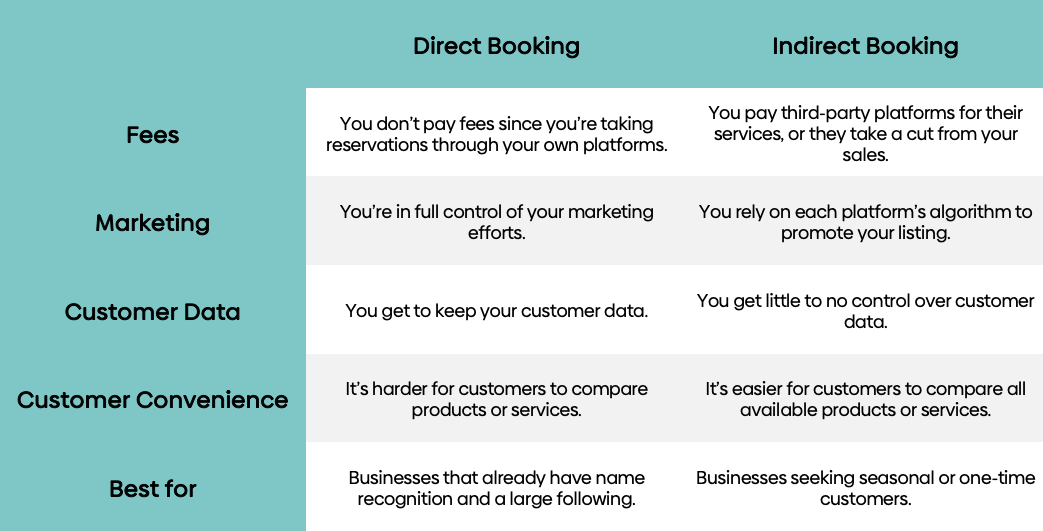
Now let’s dive into what each type of booking has to offer. These should help you decide what booking method to implement for your business.
Direct Bookings
Direct bookings occur when customers make reservations directly through your platforms. So if a customer books an appointment through your website or by calling your office, that’s considered a direct booking.
The great thing about direct bookings is that you won’t need to pay third-party fees. And you get to keep valuable customer data, such as names and email addresses. You can also control how you communicate with customers.
However, you’ll have to find and retain leads yourself, which can be difficult for new businesses. To succeed, you’ll need to invest in marketing, enhance your search visibility, and foster customer engagement.
Direct bookings are best for businesses that already have a strong brand presence and loyal customers.
Indirect Bookings
Customers make indirect bookings when they use third-party platforms (like online travel agencies, agents, and affiliates) to make reservations. If you’ve ever used Airbnb to reserve a house for a vacation, you’ve made an indirect booking.
Businesses use third-party platforms because they come with built-in audiences that provide global exposure. For customers, these platforms make it easier to compare services and find the best deals.
Indirect bookings can be costly, though. Third-party platforms charge fees or take a cut of each booking. You’ll also have to contend with each platform’s algorithm, which may require spending on ads to appear consistently in search results.
However, if you want a wider reach, we suggest using indirect bookings to put your small business in front of relevant audiences with minimal effort. It’s also beneficial for those seeking seasonal or one-time customers.
Types of Bookings Across Various Sectors
When thinking about which type of booking to use, consider the industry you’re in. For example, indirect booking might be more effective for those in the travel industry. Let’s review the most popular booking types by industry.
Travel Bookings
Travel bookings refer to reservations made for services within the tourism industry. These include car rentals, hotel stays, flights, and tours. Customers can book directly through a business’s official website or use third-party services such as Expedia or Trip.com.
Online travel agencies (OTAs) play a huge role in flight, hotel, and tour bookings. Their platforms make it easier for users to compare amenities and pricing between competing service providers. Additionally, OTAs often feature mobile-friendly websites or apps that facilitate last-minute bookings for travelers.
Event Bookings
Event bookings cover reservations or ticket purchases for concerts, conferences, festivals, and similar occasions. You can book tickets from an event’s website or directly from the venue.
However, you can also buy tickets and explore upcoming shows on platforms like Ticketmaster. They also have modern features like mobile tickets and instant confirmations, which simplify check-ins at venues. Plus, they handle all the backend infrastructure. This means you don’t have to worry about your site crashing or other similar scenarios.
If you’re organizing an event, you’ll want to use an online booking system rather than selling tickets in person or through phone reservations.
Appointment and Service Bookings
Appointment and service bookings cover all the reservations made for personal or professional services. These include medical consultations, fitness sessions, salon visits, and home repairs.
Users appreciate this feature because they can schedule these services at their preferred time. For businesses, it lets them manage availability efficiently.
People can still schedule appointments by phone or through walk-in scheduling. However, businesses now use booking and scheduling apps to enhance the booking experience. Popular apps in this space include Acuity Scheduling and Calendly.
Booking and scheduling apps automate the entire process, meaning less work for you. Using these apps reduces no-shows and improves customer engagement.
Restaurant Reservations
Restaurant operators value booking apps because they let diners secure tables in advance. Customers can book through the restaurant’s website or by phone.
However, reservation platforms like OpenTable make it far too convenient for users to ignore. Booking platforms let customers view all the restaurants in an area, their menus, and table availability.
Booking apps enable restaurants to accurately anticipate the number of guests they can expect, allowing them to order just the right amount of ingredients for the day. It also helps with staffing, as they know exactly how many are needed for service.
Key Considerations When Choosing a Booking Method
Several factors should be considered, including pricing, convenience, and reliability. Direct bookings offer more features and control. It’s also cheaper because you don’t have to pay fees. But setting it up could be an issue, especially for those who aren’t tech-savvy.
Using third-party platforms can increase your reach, but it will also reduce your profit margins. And if the platform’s algorithm doesn’t work in your favor, you might see less foot traffic.
So what do you do? You’ll need to determine what works for your niche. If you’re a hotel, adding your business to a travel booking site makes the most sense. Your target audience is already there, so you may as well join the party. For a small-town salon, direct booking might be all you need.
When in doubt, you could try both. Offer direct and indirect channels to maximize your reach and maintain customer relationships.
Emerging Trends in Bookings
Aside from mobile-first booking systems, there’s also been a rise in AI-powered reservation platforms. Google Travel and Hopper, for example, use AI to suggest personalized options and predict price changes.
AI and automation lead to reduced manual scheduling, faster customer support, and enhanced data insights.
Common Problems with Booking and How to Avoid Them
Overbookings, manual entry errors, miscommunication, and payment processing issues are just a few of the problems that businesses encounter when processing bookings.
You can, however, resolve these issues by using booking management software. They’re not just good for automating tasks, but also synchronize reservations in real-time.
Some online booking apps even integrate multiple channels for seamless transactions. For example, when customers book reservations through your website, you could trigger an email thanking them for their purchase.
Key Takeaways
- Direct bookings give you full control over your customer data and branding. Indirect bookings expand your reach through third-party platforms.
- Every industry has a booking method that fits best. While travel brands thrive on third-party sites, local services could find more success with direct bookings.
- Pick a booking method that matches your audience’s habits. You can expand your channels as your business grows.
Frequently Asked Questions
Is it Cheaper to Book Online or Offline?
Booking online is usually cheaper than booking offline because it removes agent or service fees. Online platforms allow direct reservations through official websites or apps, lowering costs. For instance, hotels and airlines often offer lower prices online compared to travel agencies that add commissions or processing fees.
Are Booking Platforms Safe to Use for Financial Transactions?
Yes, booking platforms are safe for financial transactions when they use secure payment gateways, SSL encryption, and comply with PCI DSS standards. They protect user data through encryption and verified processors that prevent unauthorized access during online payments.
What is Desk Booking?
Desk booking is a system that enables employees to reserve desks or workspaces, rather than having fixed seating assignments. It supports hybrid and flexible workplaces by improving space efficiency. The main types include hot desking, where desks are used on a first-come basis, and hotel-style booking, where desks are reserved in advance.


.png)
Request Free Demo
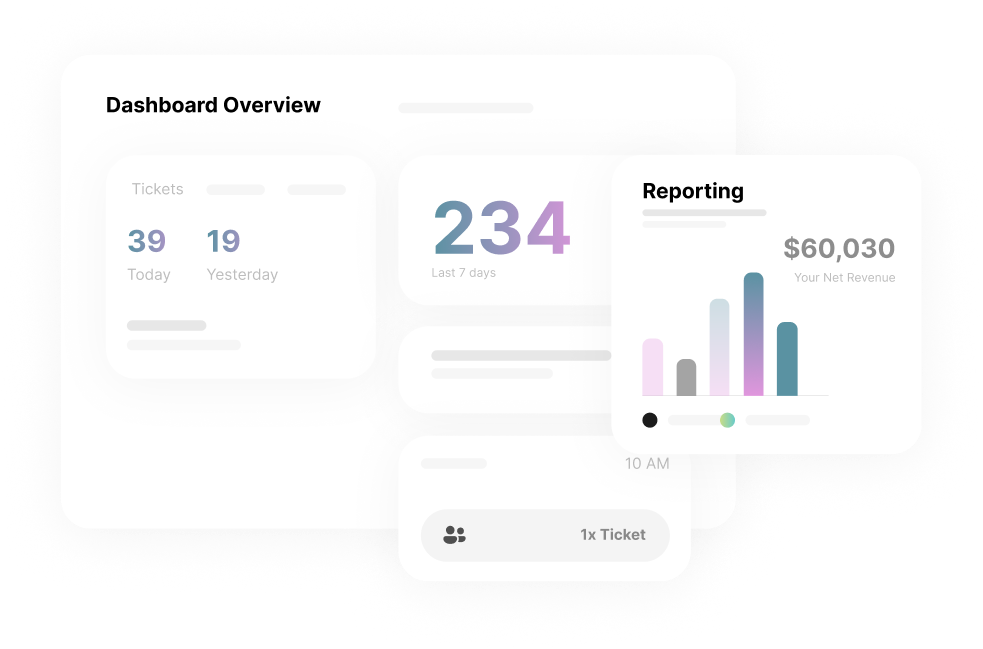
Operators on Peek see an average 30% boost in revenue


